#️⃣
Four familiar formats
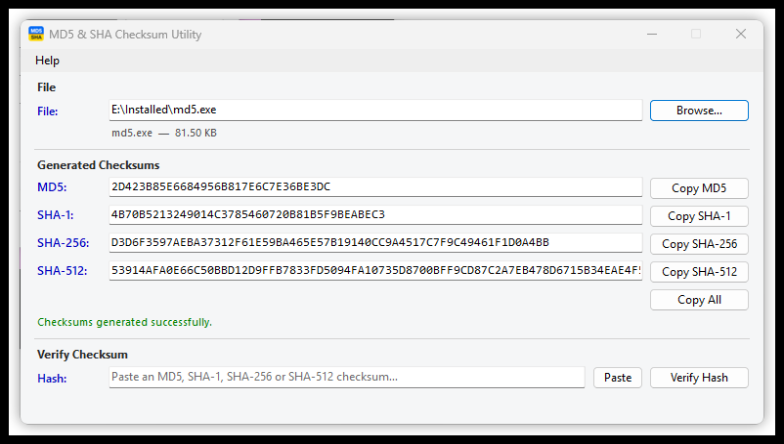
Generate MD5, SHA-1, SHA-256, and SHA-512 together, ready to copy individually or all at once.
 MD5 & SHA
Generate MD5, SHA-1, SHA-256, and SHA-512 checksums in one pass. Compare a published hash in seconds—without uploading your file anywhere.
One file read
4 checksums generated
Fast by design
A focused desktop utility with no clutter, cloud processing, or hidden dependencies.
Generate MD5, SHA-1, SHA-256, and SHA-512 together, ready to copy individually or all at once.
Drop a file anywhere on the window or use the picker. Hashing begins immediately with clear progress.
Paste a checksum and the app detects its algorithm, compares it, and gives you a clear match result.
Async streaming processes files of any size without loading the entire file into memory.
Every byte stays on your computer. No account, analytics, upload, or internet connection.
One self-contained EXE. No setup wizard, administrator access, or separate .NET installation.
Simple workflow
Browse to it or drag it directly into the utility.
The file is streamed once for efficient processing.
Compare the publisher's checksum and confirm the match.
Security note: For adversarial integrity checks, prefer SHA-256 or SHA-512. MD5 and SHA-1 are included for compatibility with older published checksums.
Download the portable EXE and double-click it to run—there is nothing to install. Your files never leave your PC.
Download MD5 & SHA Checksum Utility