



Cron Expression Cheat Sheet (Stop Guessing at * * * * *)
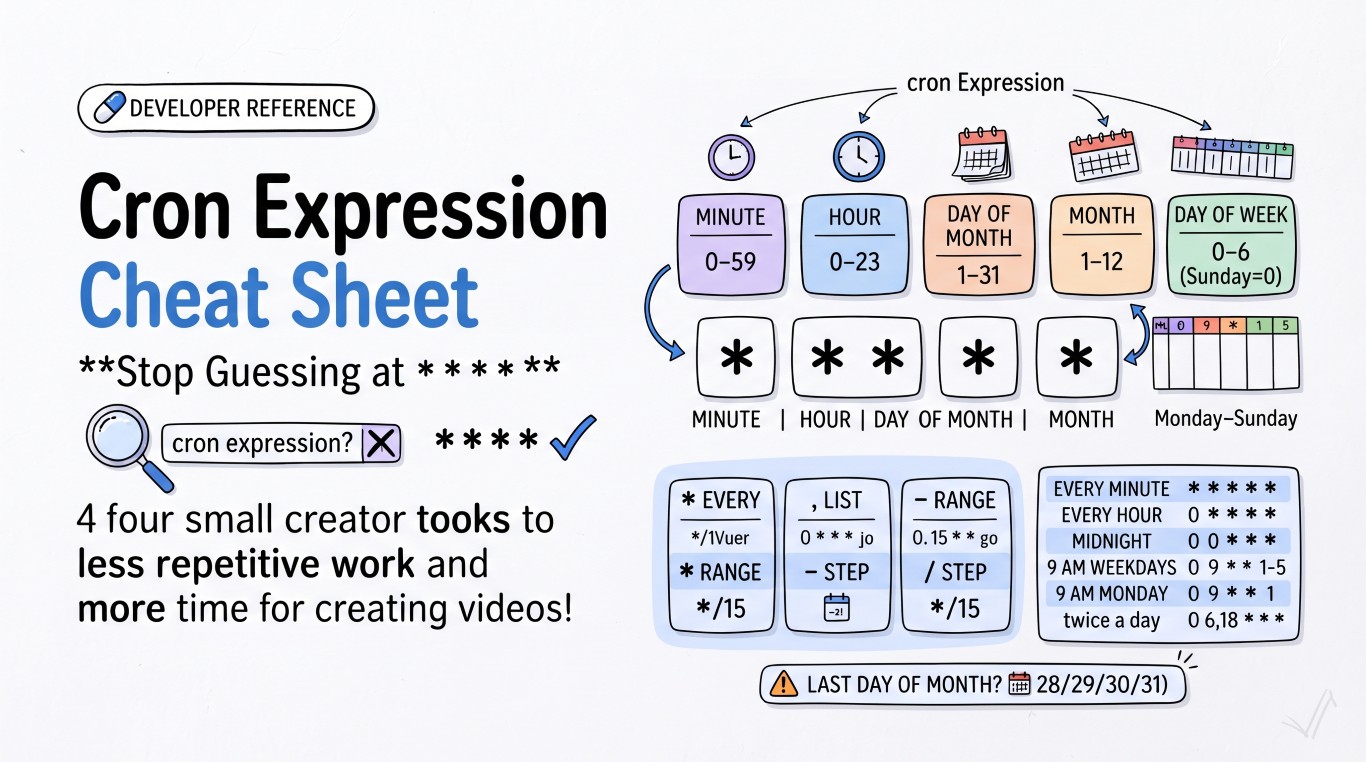
Five fields, five stars, one Google search every single time. Here's the reference so you can stop searching and start writing.
The five fields
*  *  *  *  *
│  │  │  │  │
│  │  │  │  └── day of week (0–6, Sunday=0)
│  │  │  └───── month (1–12)
│  │  └──────── day of month (1–31)
│  └─────────── hour (0–23)
└────────────── minute (0–59)
* means "every value." Everything else narrows it down.
Special characters
| Symbol | Meaning | Example |
|---|---|---|
* |
every value | * * * * * — every minute |
, |
list of values | 0 9,17 * * * — 9am and 5pm |
- |
range | 0 9-17 * * * — every hour, 9am to 5pm |
/ |
step values | */15 * * * * — every 15 minutes |
Common schedules
| What you want | Expression |
|---|---|
| Every minute | * * * * * |
| Every 5 minutes | */5 * * * * |
| Every hour, on the hour | 0 * * * * |
| Every day at midnight | 0 0 * * * |
| Every day at 6:30am | 30 6 * * * |
| Every weekday at 9am | 0 9 * * 1-5 |
| Every Monday at 9am | 0 9 * * 1 |
| Twice a day (6am and 6pm) | 0 6,18 * * * |
| Every 15 minutes, business hours only | */15 9-17 * * 1-5 |
| First day of every month | 0 0 1 * * |
Cron has no direct way to say "last day of the month" — the day-of-month field doesn't know how many days a given month has. The usual workaround is scheduling for the 1st and subtracting a day in your script, or running daily and checking the date programmatically.
The gotcha almost everyone hits once
If you set both day-of-month and day-of-week to something other than *, cron treats them as OR, not AND. 0 0 15 * 1 doesn't mean "the 15th, if it's a Monday" — it means "the 15th, OR any Monday," which runs far more often than intended. If you only want one of the two conditions, leave the other as *.
It's not the same everywhere
Standard Linux crontab (crontab -e) uses the 5-field format above, in whatever timezone the server is set to — not your laptop's timezone, and not the timezone of whoever's reading the logs later. This trips people up constantly when a "3am job" runs at what feels like the wrong time after a server migration to a different region.
A few platforms diverge from the 5-field standard:
- AWS EventBridge / CloudWatch uses 6 fields (adds seconds and year:
minute hour day month weekday year), and requires a?in either the day-of-month or day-of-week field — you can't set both. - GitHub Actions uses standard 5-field cron in the
scheduletrigger, but always runs in UTC regardless of your repo settings. - Vercel Cron and Google Cloud Scheduler both use the standard 5-field format, but let you set an explicit timezone per job — worth doing, since the default is usually UTC.
Build it without memorizing any of this
The Cron Job Generator builds and explains 5-field expressions in plain English, so you can sanity-check a schedule before it ships to production instead of finding out at 3am (server time) that it fired twice. It works for standard crontabs as well as GitHub Actions, AWS, and Cloud Scheduler setups — paste an existing expression to get a human-readable explanation, or build one from scratch and copy it straight into your config. Everything runs client-side, so nothing about your deployment schedule ever leaves your browser.