



15 Free Online Developer Tools to Bookmark in 2026 (No Sign-Up Required)
Every developer ends up with a mental list of "that one site I use for X" bookmarked somewhere. The problem is that list grows fast, half the links rot, and most of those sites bury a simple utility under intrusive ads or force you to create an account just to format a JSON payload.
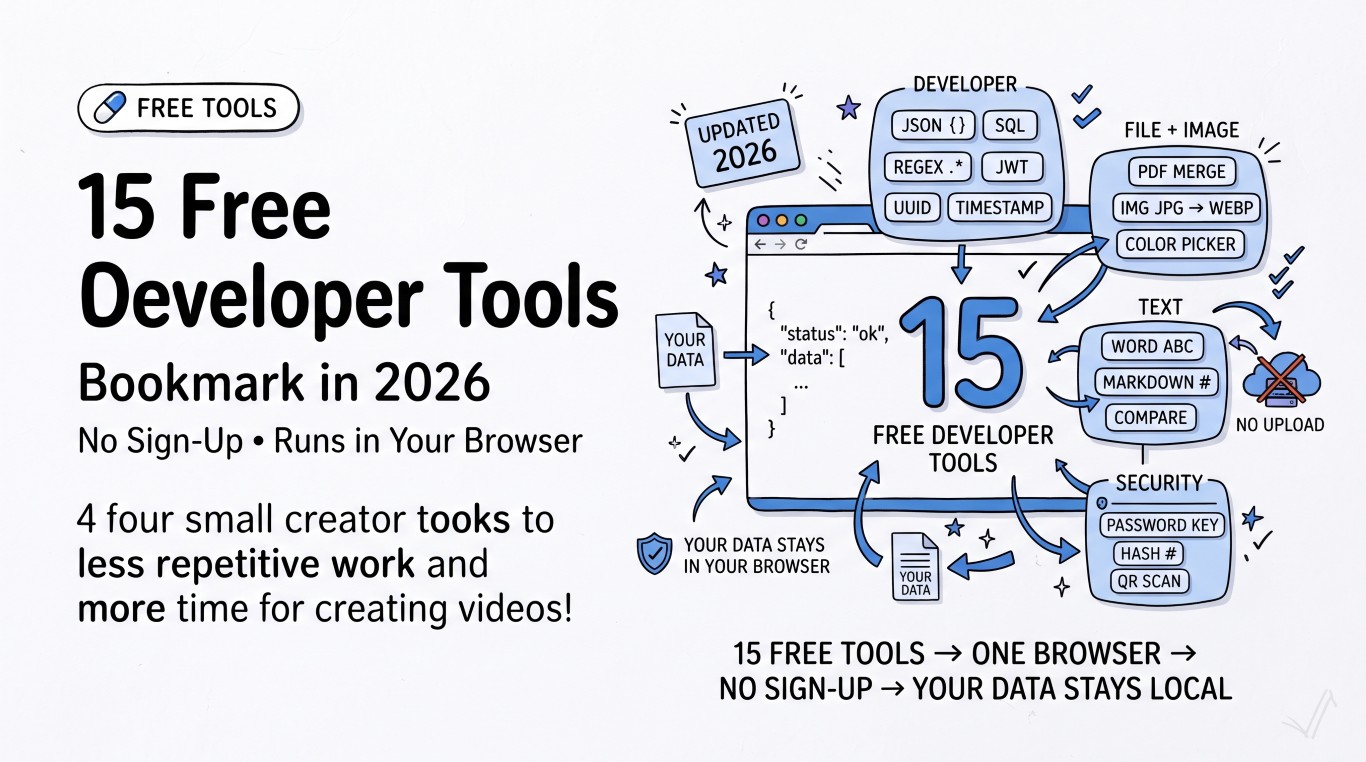
This post rounds up 15 free tools you can use right now, with no sign-up, that solve problems developers and everyday users run into constantly. All of them run at RizCraft, and — because it matters — every one of them processes your data client-side, in your own browser. Nothing you paste into these tools is uploaded to a server.
Developer Tools
- JSON Formatter & Validator — Paste minified or broken JSON and get a clean, indented, validated version instantly. Handy for debugging API responses.
- SQL Formatter & Beautifier — Turn a wall of unreadable inline SQL into properly indented, readable queries.
- Regex Tester — Test regular expressions against sample text with live match highlighting, without switching between five browser tabs.
- JWT Decoder — Decode a JSON Web Token's header and payload to see exactly what claims it carries, without pasting a secret into a random site.
- UUID Generator — Generate v4 UUIDs in bulk for test fixtures, database seeds, or placeholder IDs.
- Timestamp Converter — Convert Unix timestamps to human-readable dates (and back) across timezones.
File & Image Tools
- PDF Merger — Combine multiple PDFs into one file directly in the browser — no watermarks, no upload limits tied to a "free tier."
- Image Converter — Convert between JPG, PNG, WebP, and other common formats without installing anything.
- Image Color Picker — Upload an image and pick exact hex/RGB values from any pixel — useful for matching a brand color from a screenshot.
Text & Content Tools
- Word Counter — Count words, characters, and estimated reading time for essays, articles, or meta descriptions.
- Markdown Preview — Write Markdown on the left and see the rendered HTML on the right in real time.
- Text Compare / Diff Checker — Spot the exact differences between two blocks of text, line by line.
Security & Utility Tools
- Password Generator — Generate strong, random passwords with configurable length and character sets.
- Hash Generator — Compute MD5, SHA-1, SHA-256, and other hashes of any text input.
- QR Code Generator — Turn a URL or block of text into a downloadable QR code in one click.
Why "runs in your browser" actually matters
Most free online tool sites work by uploading whatever you paste or drop into a form to a server, processing it there, and sending the result back. That's fine for a lorem ipsum generator — it's a real problem the moment you're pasting a JWT, an internal API response, or a document with customer data into a JSON formatter.
Every tool listed above runs entirely client-side using JavaScript in your browser. Your data never leaves your machine, which means there's nothing to log, nothing to breach, and nothing to worry about pasting.
FAQ
Do I need to create an account to use these tools? No. Every tool on RizCraft is free to use with no sign-up, no email, and no login.
Is my data uploaded anywhere? No. These tools process your input directly in your browser using JavaScript — nothing is sent to a server.
Are there usage limits? No artificial limits. Since processing happens locally, you're only bounded by what your browser and device can handle.
Explore more
This list covers 15 of the most commonly needed tools, but RizCraft has 100+ free tools across developer utilities, PDF and image conversion, AI-assisted writing, and YouTube helpers. Browse the full catalog, bookmark what you'll actually use, and skip the sites that make you sign up just to format a string.