



Iframe Works Locally but Not in Production? Check the Parent Origin

An iframe that works on localhost can fail after deployment because the browser is evaluating a different parent origin, a different response, or both. Compare those differences before changing the iframe's markup.
Start with the Iframe Tester for a quick rendering check. Then reproduce the failure inside your actual production page and inspect the browser's Console and Network panels. A successful embed inside RizCraft does not prove that your own domain is allowed.
For a general introduction to blocking headers, read the existing X-Frame-Options guide. This walkthrough focuses on the narrower problem of an embed that changes behavior between environments.
Write down both sides of the embed
There are two relevant documents: the parent page containing the iframe and the child page loaded inside it. Record their complete URLs in development and production.
For example:
Development parent: http://localhost:3000/dashboard
Production parent:  https://app.example.com/dashboard
Embedded child:     https://reports.example.net/widget
An origin consists of a scheme, host, and port. Switching from HTTP to HTTPS, changing a subdomain, or moving to a different port can change the origin even when the pages look identical. See MDN's same-origin explanation.
The child may allow localhost for testing but omit the production parent. Alternatively, production may add a policy to the parent that the development server never sent.
Check the two CSP directions
These two directives answer different questions:
| Directive | Set on | Question it answers |
|---|---|---|
| frame-src | Parent document | Which sources may this page load into frames? |
| frame-ancestors | Embedded child document | Which ancestors may embed this page? |
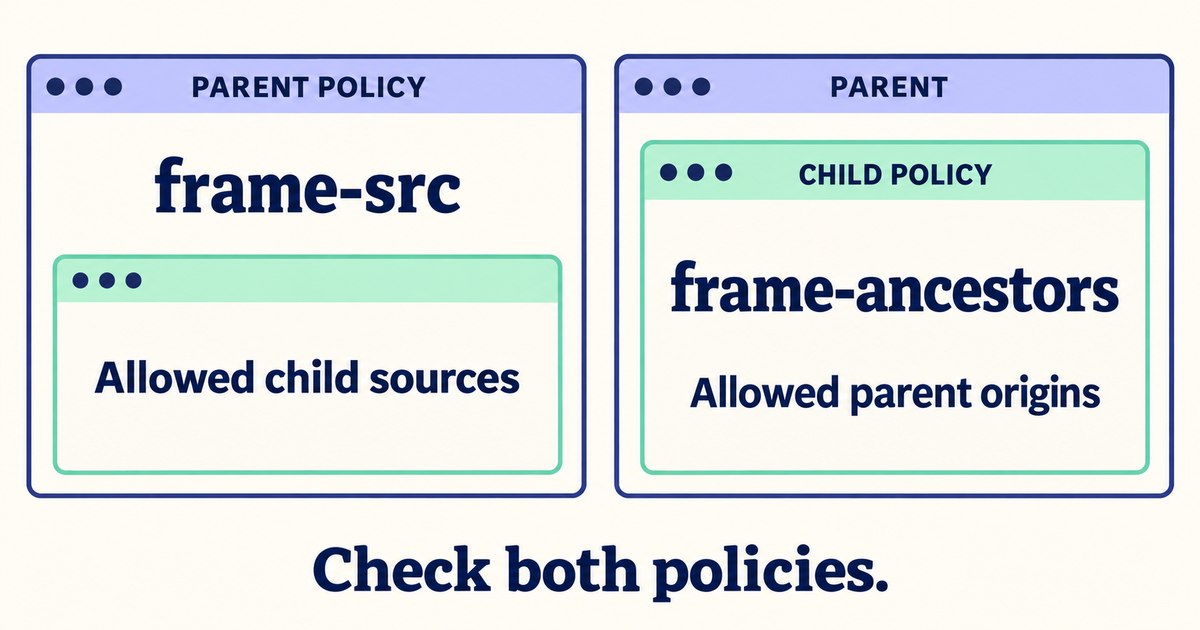
The parent can restrict its children, and the child can restrict its parents. Check the response policy on each document.
A parent that sends this policy allows an iframe from the reports origin:
Content-Security-Policy: frame-src https://reports.example.netThe child can separately allow the production application:
Content-Security-Policy: frame-ancestors https://app.example.comThese are illustrative directives, not complete replacement policies. Merge the appropriate change into your application's existing CSP and preserve unrelated protections.
MDN documents frame-src and frame-ancestors. In particular, frame-ancestors checks the ancestor chain; a nested dashboard wrapper can matter even when the immediate parent is allowed.
Inspect the actual response after redirects
In the production browser, open developer tools, enable Preserve log in Network, and reload the page containing the iframe. Select the child document request and inspect its redirect chain and final response headers.
The URL in your markup may redirect to a login page, a regional hostname, or a canonical address. That final document can have a different embedding policy. Checking only the first response can miss the restriction the browser actually encounters.
Also inspect the parent document's response. A reverse proxy, CDN, or hosting preset may inject a second CSP or X-Frame-Options header. Multiple enforced CSP policies constrain the page together; adding a permissive policy does not cancel a stricter one.
For X-Frame-Options, distinguish DENY from SAMEORIGIN, and remember that ALLOW-FROM is obsolete. MDN's header reference describes the supported behavior. Do not solve a configuration mismatch by disabling all framing protection globally.
Check HTTPS and authentication separately
If production uses HTTPS while the iframe points to HTTP, inspect the Console for mixed-content errors. Use an HTTPS endpoint that the embedded service supports. Do not assume that changing the URL prefix is sufficient if the destination does not serve HTTPS correctly.
If the frame loads a login screen or repeatedly redirects, investigate authentication and cookie behavior. A page that works as a top-level tab may behave differently when embedded cross-site. An embedding-policy change cannot repair an unrelated login requirement.
Also compare any sandbox attribute on the iframe between environments. A sandbox can restrict scripts, forms, and other behavior after the page loads. Distinguish “the document cannot be framed” from “the framed application loads but cannot perform an action.”
Interpret the tester result correctly
RizCraft loads the target in an iframe on a RizCraft origin. It is a convenient visual check, not an automatic report of every remote response header. Browser isolation limits what the surrounding page can read.
If your child only allows your application's origin, it can fail in RizCraft while working correctly in production. The reverse is also possible. The definitive check is the browser running the actual parent-child combination you intend to ship.
Common questions
Is this necessarily a CORS problem?
No. CORS governs access to cross-origin responses in contexts such as script requests; framing policies are separate. Use the browser's actual error message to identify the mechanism.
Can I change the policy for a page I do not own?
Ask the provider for an official embed endpoint or supported integration. Your parent page cannot rewrite the child server's response headers.
Should I add localhost to the production allowlist?
Only if that is an intended integration. Usually the production policy should name the production ancestors you actually support; development requirements belong in a deliberate environment configuration.
Check the URL in Iframe Tester, then verify the final fix in your production parent page with the same authentication state your users will have.