



How to Pull Every URL Out of a Sitemap.xml (Without Writing a Script)
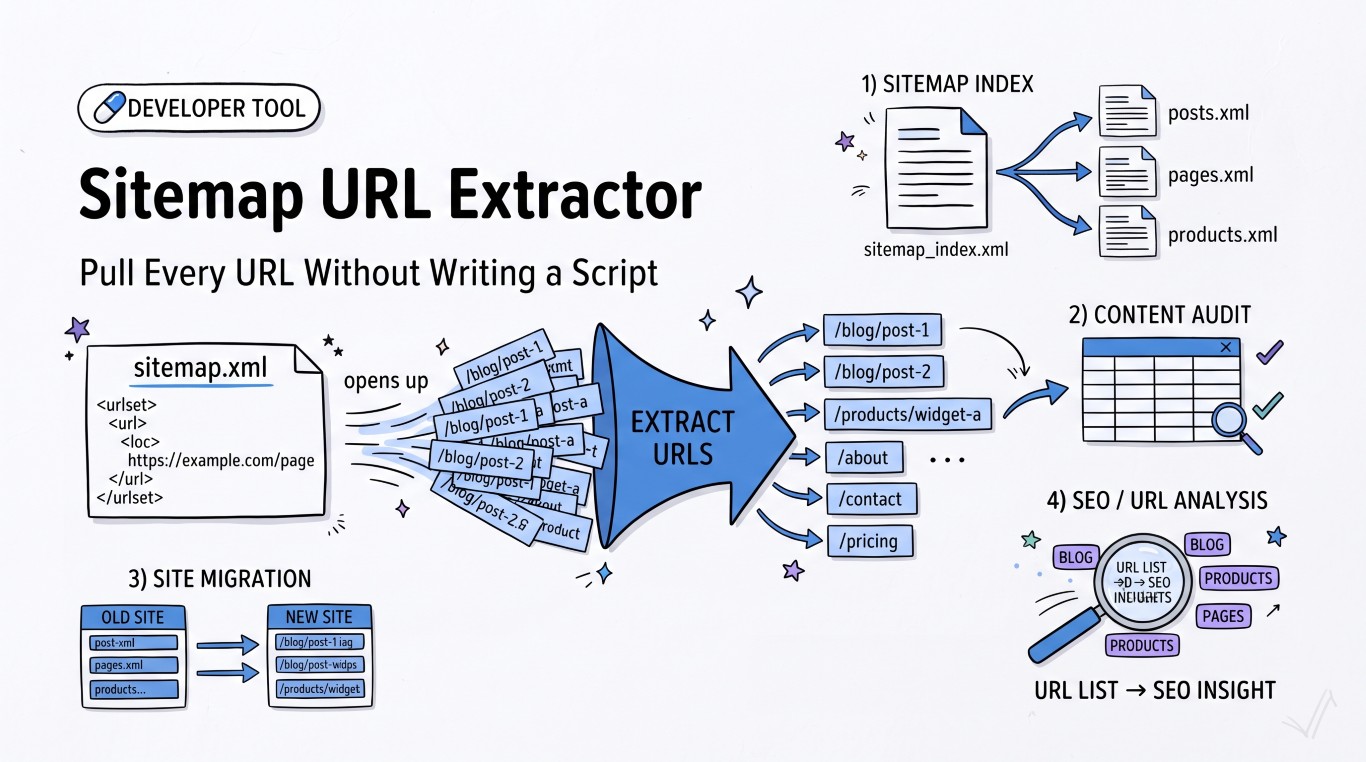
You just took over a site with four years of blog history and nobody left who remembers what's actually still live. Or you're three weeks from a domain migration and legal wants a list of every indexed URL before the old server gets switched off. Either way, the answer usually lives in one file: sitemap.xml.
The problem is that "just open the sitemap" is rarely that simple.
Why a sitemap isn't always one file
A basic sitemap looks like this:
<urlset xmlns="http://www.sitemaps.org/schemas/sitemap/0.9">
  <url>
    <loc>https://example.com/blog/post-1</loc>
    <lastmod>2026-03-14</lastmod>
  </url>
</urlset>
That's fine for a site with a few hundred pages. Google caps a single sitemap file at 50,000 URLs and 50MB uncompressed, so anything bigger gets split into multiple files and stitched together with a sitemap index:
<sitemapindex xmlns="http://www.sitemaps.org/schemas/sitemap/0.9">
  <sitemap><loc>https://example.com/sitemap-posts-1.xml</loc></sitemap>
  <sitemap><loc>https://example.com/sitemap-posts-2.xml</loc></sitemap>
  <sitemap><loc>https://example.com/sitemap-pages.xml</loc></sitemap>
</sitemapindex>
WordPress with Yoast or RankMath does this automatically past a few hundred posts. Shopify, most headless CMS setups, and anything running behind a CDN with generated sitemaps do the same. If you only open the first file you find, you're looking at a fraction of the site.
Why grep/regex breaks on this
The instinct for a lot of developers is curl sitemap.xml | grep loc. It works right up until it doesn't:
- Namespaces (
xmlns=) sometimes get prefixed, so<loc>becomes<ns:loc>and your regex silently matches nothing - Some sitemap generators put
<loc>and its closing tag on the same line, others wrap it across two <image:loc>and<video:loc>tags exist too, and a naive regex pulls those in alongside page URLs- Gzipped sitemaps (
sitemap.xml.gz) need decompression before any of this works at all
None of these are hard problems individually, but they add up to twenty minutes of fiddling for something that should take twenty seconds.
The faster way
Point the Sitemap URL Extractor at the sitemap URL and it parses the XML properly instead of pattern-matching on it, pulling out every <loc> value regardless of formatting quirks. If your site uses index files, check the index URL itself first — most sites publish it at /sitemap_index.xml or /sitemap.xml, and it's always listed in robots.txt under Sitemap:.
A few things worth checking before you trust the output for anything important:
- Compare the count to Search Console. If your sitemap lists 4,200 URLs but Search Console shows 3,100 indexed, that gap is worth investigating — it might be noindexed pages sitting in the sitemap by mistake, or a crawl budget problem.
- Check
robots.txtisn't blocking the sitemap path itself. Rare, but it happens after a migration when someone copies over an old robots.txt wholesale. - Watch for stale
lastmoddates. Some CMS platforms updatelastmodon every save, even for a typo fix. Others never update it. Don't treat it as gospel.
What people actually use this for
Content audits are the obvious one — pull the full URL list, drop it into a spreadsheet, and sort by path to find orphaned categories or duplicate content clusters. Migration planning is the other big one: extract the old site's URLs, extract the new site's planned structure, and you've got the two columns you need to build a 301 redirect map before anything goes live.
It's also a fast way to size up a competitor's content output — if you want to know whether a competitor publishes 5 blog posts a month or 50, their sitemap tells you before you've read a single article.
FAQ
Does this work with sitemap index files, or only single sitemap files? Point it at either. If you give it an index file, check the child sitemaps it lists individually — most sites keep them organized by content type (posts, pages, products), which usually maps directly onto what you're trying to audit.
Is there a URL limit? No artificial limit on the tool's side. In practice you're bounded by how large the sitemap itself is, same as Google's 50,000-URL-per-file cap.
Can I filter the results? Yes — narrow by path or file extension so you're not scrolling through a 3,000-row list looking for the twelve product pages you actually care about.