



The Free YouTube Toolkit 4 Browser Tools Worth Bookmarking
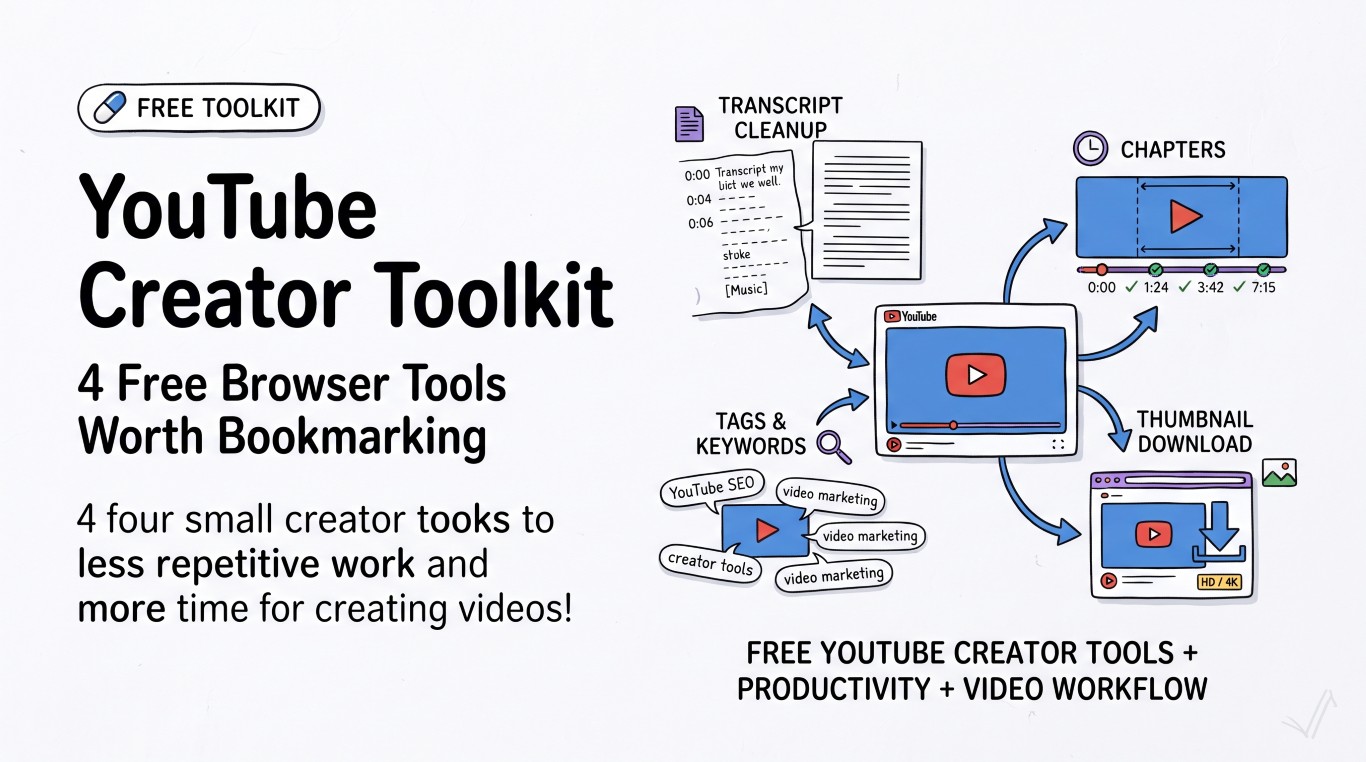
Running a channel means a stack of small, repetitive jobs around every upload: writing chapters, tidying up a transcript for a blog recap, picking tags, grabbing a clean copy of your own thumbnail. None of it is hard. All of it eats time you'd rather spend editing the next video. Here's what actually speeds it up.
Clean up a transcript for repurposing
YouTube's auto-generated transcript is genuinely useful for turning a video into a blog post, newsletter, or show notes page — the words are already there, you just have to stop it looking like a transcript. Pull it from YouTube (three-dot menu under the video → "Show transcript"), and you'll get something like:
0:00
hey everyone welcome back to the channel
0:04
today we're talking about
0:06
[Music]
That's unreadable as prose. The YouTube Transcript Cleaner strips the timestamps, speaker labels, and broken line breaks in one pass, so you're left with actual sentences you can edit into a post. It runs the cleanup locally in your browser, and it handles a full hour-long transcript just as fast as a five-minute one — there's no length cutoff to worry about halfway through pasting.
One thing worth knowing: this tool cleans a transcript you already have, it doesn't fetch one from a video URL for you. Grab the raw transcript from YouTube first, then paste it in.
Get chapters right the first time
YouTube's chapter rules are simple but unforgiving — get one detail wrong and the whole list silently fails to activate, with no error message telling you why:
- The first timestamp must be exactly 0:00
- You need at least three timestamps, listed in ascending order
- Each chapter must run 10 seconds or longer — anything shorter gets ignored
- Format is
MM:SSunder an hour,H:MM:SSpast that, with a colon (not a period or dash) between numbers
The most common failure is starting the first chapter at 0:01 or 0:05 instead of 0:00 — it feels like it shouldn't matter, and it's the reason chapters don't show up more often than any other mistake. The YouTube Timestamp & Chapter Generator formats and validates your list against these rules before you paste it into the description, so you catch the 0:01 typo before it costs you the whole feature.
Tags: less important than they used to be, still worth doing right
YouTube's search algorithm leans on title, description, and watch behavior far more than tags today. Tags still earn their keep for one specific job: catching the searches your title doesn't cover. If your video title is "How I Automated My Invoicing," tags covering "invoice automation software," "freelance invoicing," and common misspellings pick up traffic your exact title wouldn't. You get 500 characters total across all tags, so keyword-stuffing thirty broad tags is a waste — five or six specific ones beat a wall of generic ones. The YouTube Tag & Keyword Generator is a fast way to build that shortlist instead of typing them from scratch.
Grabbing your own thumbnail in full resolution
Sometimes you need your own thumbnail back at full size — for a channel trailer, a repost, a sponsor deck. YouTube doesn't put a "download thumbnail" button anywhere in Studio. The YouTube Thumbnail Downloader pulls the HD or 4K version straight from the video ID. Worth knowing: not every video has a maxresdefault (1280×720) thumbnail generated — some older or lower-resolution uploads only have hqdefault (480×360) available, so very old videos may cap out lower than you'd expect.
Putting it together
The realistic workflow after you hit publish: pull the transcript and clean it up for a blog recap, generate chapters from your edit timeline before the video goes live, run a quick tag pass, and grab the thumbnail for social. None of these tools talk to each other, and that's fine — they're each doing one job well, which is faster in practice than a bloated all-in-one dashboard that makes you learn a new UI for something you'll use for ninety seconds.