



How to Remove Timestamps from a YouTube Transcript

To remove timestamps from a YouTube transcript, copy the transcript text into the YouTube Transcript Cleaner, enable Remove Timestamps, and select Clean Transcript. Review the result before copying it into your notes or article.
That last step matters. A caption marker such as 00:12 and a spoken time such as “the meeting starts at 10:30” look similar to a pattern-based cleaner. The tool cannot always tell which one belongs in the final text.
Get the transcript first
Open the video's description and look for Show transcript. YouTube documents transcript viewing for videos that have captions; see its transcript instructions. Choose the language you need if more than one is available, then copy the text.
If your transcript panel offers a timestamp visibility control, try it before copying. Controls vary between interfaces, so do not depend on an option that is absent on your device. You can clean already-copied text in RizCraft either way.
The cleaner accepts text. It does not download a video's transcript from its URL, transcribe audio, or create captions for a video that has none. Keep the original transcript in a separate document so you can compare any suspicious change.
Choose the cleanup settings deliberately
Start with Remove Timestamps on and the other options off. Run a short sample first, especially if the video covers programming, schedules, measurements, or interviews.
| Setting | Useful for | What to review |
|---|---|---|
| Remove Timestamps | Caption timing markers | Meaningful clock times and ratios resembling timestamps |
| Remove Speaker Names | Repeated speaker prefixes | Attribution and headings ending in a colon |
| Merge Short Lines | Caption fragments split across lines | Paragraph boundaries, lists, and speaker changes |
| Fix Sentence Capitalization | Rough sentence casing | Acronyms, product names, and code identifiers |
Leave capitalization correction off when exact casing matters. The current implementation lowercases much of the text before capitalizing sentence starts. It can turn API into api or change a name such as YouTube. This is formatting assistance, not language-aware proofreading.
Try a small before-and-after example
Paste this synthetic transcript with timestamp removal enabled and capitalization correction disabled:
00:00
Welcome to the demo.
00:12
Open the file
and check the result.
00:30
Keep the original API response.
With line merging enabled, the two fragments of the middle sentence become one line:
Welcome to the demo.
Open the file and check the result.
Keep the original API response.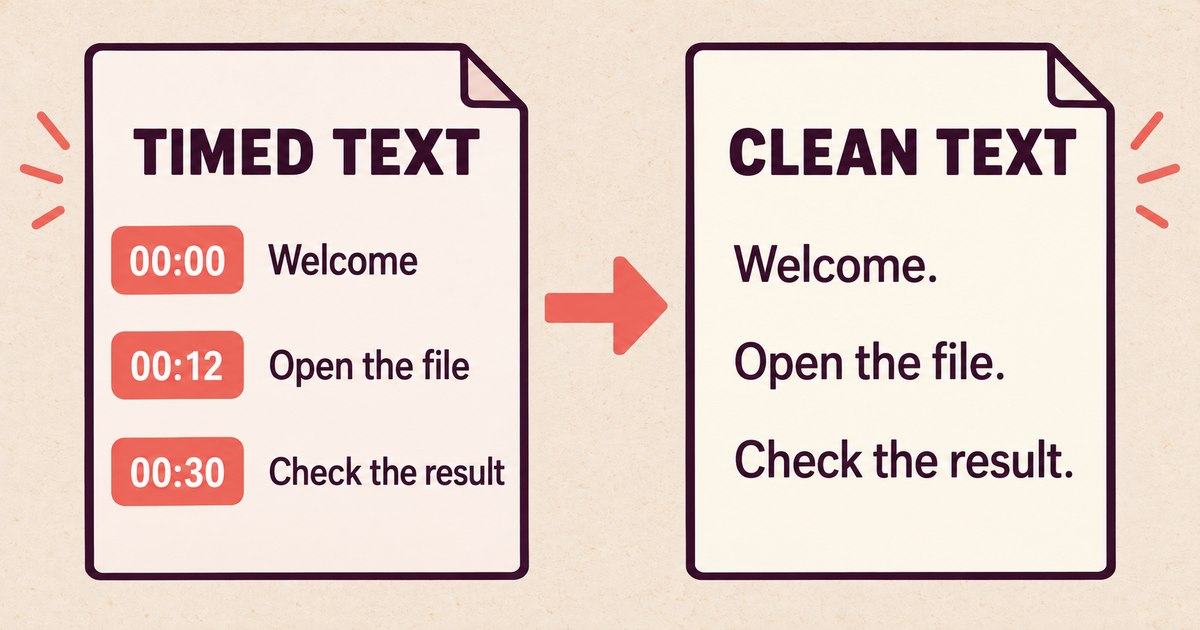
Conceptual cleanup example. Add or correct punctuation during your final edit; timestamp removal does not reconstruct missing punctuation.
The cleaner recognizes common timestamp patterns, including bracketed and parenthesized forms. It also trims whitespace. It does not understand where an argument ends, where a quotation begins, or which caption line should become a section heading.
For an interview, keep speaker names until you have checked who said what. For a tutorial, keep code blocks and command names in their original form. For lecture notes, split the output into paragraphs around ideas rather than forcing the entire transcript into one long block.
Protect numbers and context
Search the cleaned text for passages that originally contained times. For example, this sentence contains information you want to keep:
Our support window begins at 10:30 each morning.The current timestamp pattern can remove 10:30 even though it is part of the sentence. If your transcript includes many such values, disable timestamp removal and delete the caption markers selectively, or restore the values from the original afterward.
Use Text Compare to inspect changes when accuracy matters. Compare the original and cleaned versions, paying particular attention to names, numbers, negatives such as “not,” and speaker transitions. Formatting cleanup cannot correct an automatic caption that misheard the speaker.
Turn the result into useful notes
Once the transcript is clean, add descriptive headings, group related sentences, and remove repetitions only after checking their meaning. A video transcript is spoken material; publishing it unchanged as an article often leaves false starts and references such as “click here” without the screen context.
Use the video to verify quotes. If you are working from someone else's material, preserve attribution and use only the material you are entitled to republish. Keeping the source URL with the transcript makes it much easier to revisit an unclear passage.
Common questions
Can the cleaner process SRT or VTT subtitle files?
It is designed for pasted transcripts, not a complete subtitle-format conversion. Timing arrows, cue identifiers, and file headers may remain. Keep your original timed subtitle file if you need captions synchronized with video.
Does it summarize or rewrite the transcript?
No. It applies formatting rules. It does not produce a summary or check factual accuracy.
Is my transcript uploaded?
The cleanup operation runs in your browser. That describes this text-processing step; it is not a claim that every feature across RizCraft runs locally.
The YouTube toolkit overview covers related creator tasks. For this job, clean your transcript and compare the result with the original before sharing it.