



YouTube Chapters Not Showing? Check These Settings

If YouTube chapters are not showing, check the timestamp list and your access to the feature before repeatedly editing the description. A valid-looking list is only one part of the diagnosis.
Use the YouTube Chapter Generator to format timestamps and catch basic list errors. Then check chapter lengths and eligibility on YouTube itself. The formatter cannot inspect your account, video duration, or publication settings.
Check the list against YouTube's rules
YouTube's official chapter instructions require a zero starting timestamp, at least three entries in ascending order, and chapters lasting at least ten seconds. The instructions also explain manual versus automatic chapters and feature-access restrictions.
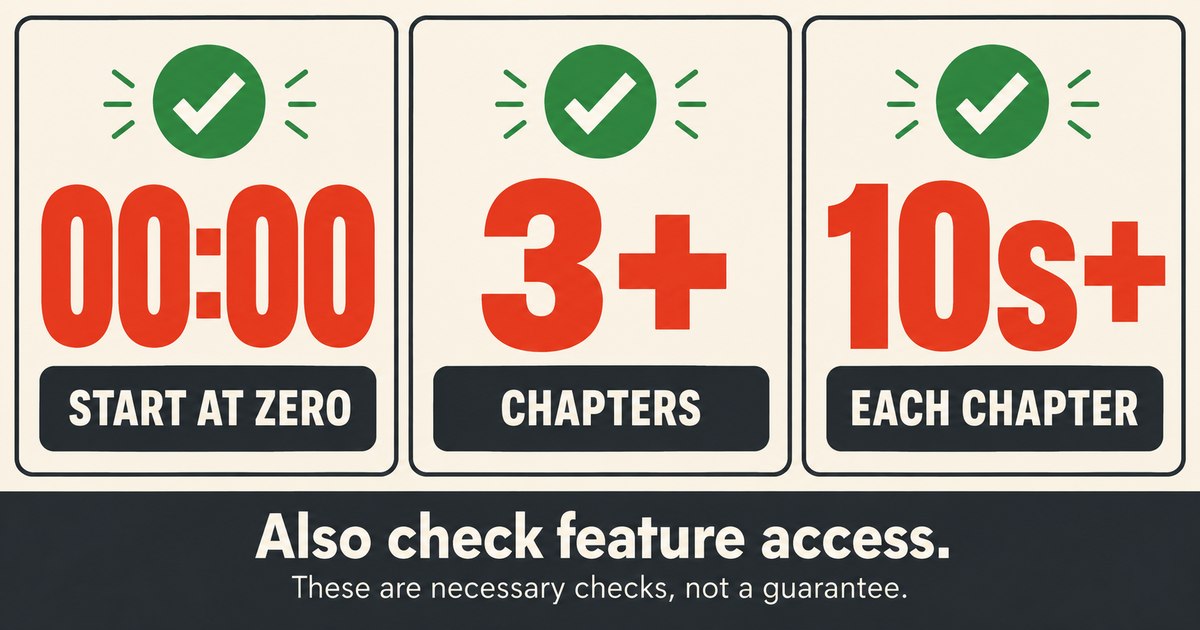
These checks are necessary; passing them does not guarantee the feature is available for a particular video.
Here is a synthetic list for a video lasting 5 minutes 30 seconds:
00:00 Introduction
00:30 Prepare the files
02:00 Run the example
04:40 Review the result
The four chapter lengths are 30 seconds, 90 seconds, 160 seconds, and 50 seconds. The final length comes from the end of the video, not another timestamp in the list.
That last interval is easy to miss. If the video ended at 04:45 instead, a chapter starting at 04:40 would have only five seconds. A formatter that does not know the video length cannot establish whether the last chapter is long enough.
Look for the specific failure
Use the first column below to identify what needs attention. The examples are deliberately small so you can see the issue without scrolling through an entire video description.
| Example or symptom | Problem to check | Correction |
|---|---|---|
| First entry is 00:15 | Missing zero start | Add a meaningful introductory chapter at 00:00. |
| Only 00:00 and 02:00 are listed | Too few entries | Divide the video into at least three genuine sections. |
| 02:00 appears before 01:30 | Order is wrong | Put the timestamps in ascending order. |
| 00:00 is followed by 00:07 | Seven-second chapter | Move or combine the boundary so the section is long enough. |
| Last chapter starts five seconds before the end | Final section is too short | Move the boundary earlier or combine the final sections. |
Do not add meaningless boundaries merely to satisfy a count. Choose points where the subject changes and give them descriptive names. “Prepare the files” tells the viewer more than “Part 2.”
Format the list and review warnings
Paste one timestamp and title per line into RizCraft, then select Format & Validate. The current tool checks the parsed chapter count, the starting time, and chronological order. It can prepend an introductory zero timestamp when the first entry starts later.
Read any warnings, inspect the output, and correct the input before using it. Automatic formatting is not a substitute for confirming that each title matches the video at that time. Lines without a recognized timestamp may be omitted, so compare the number of entries with your original list.
The current validator does not enforce ten-second intervals or check the final chapter against video length. Calculate those intervals yourself. Keep the input simple: ordinary timestamp-and-title lines are easier to review than richly formatted text pasted from a document editor.
Save the list in the right place
Open the video in YouTube Studio, edit its description, paste the chapter list, and save. Reopen the saved description to confirm that the intended text persisted.
Check the ordinary watch page as well as your editing view. Clickable timestamp links and visible chapter divisions are related observations, but they are not interchangeable. If links jump correctly while the progress bar has no sections, continue with feature access and eligibility rather than assuming every timestamp is malformed.
Manual chapter entries override automatic chapters. You do not need to invent a second, competing chapter list in the description.
Check feature access and automatic chapters
If manual formatting checks out, review your channel's feature access. YouTube directs creators without chapter access to its advanced features process. Follow the options shown for your channel rather than relying on old claims about a universal subscriber threshold.
Automatic chapters are a separate option. Enabling them does not promise that YouTube will generate them for every eligible video. YouTube also lists restrictions involving active strikes and content suitability. Use the official help page for the applicable requirements.
Avoid unsupported fixes such as repeatedly adding hashtags or removing unrelated punctuation throughout the description. Change one relevant item, save it, and verify the result so you can identify what actually changed.
Common questions
Can RizCraft guarantee that chapters will appear?
No. It formats text and checks some list rules. YouTube controls feature availability and whether chapters are displayed.
Do I need three chapters or three time gaps?
The requirement is at least three timestamps. Remember that the final chapter continues from its timestamp to the video's end.
Will cleaning my transcript create chapters automatically?
No. Transcript cleanup removes formatting from copied text. Choosing chapter boundaries requires deciding where the video's topics change.
For the broader workflow, see the YouTube toolkit. To correct your current list, open the chapter formatter, then verify the remaining checks on YouTube.