View, search, copy, and download a public webpage's HTML source on desktop or mobile, before JavaScript runs.
Fetch and display the complete HTML source code with premium syntax highlighting instantly.
Use this online HTML source viewer to read the markup returned by a public webpage. Check its title, meta description, canonical link, headings, and script references without installing an extension. Search the highlighted source, copy it, or save a single HTML file.
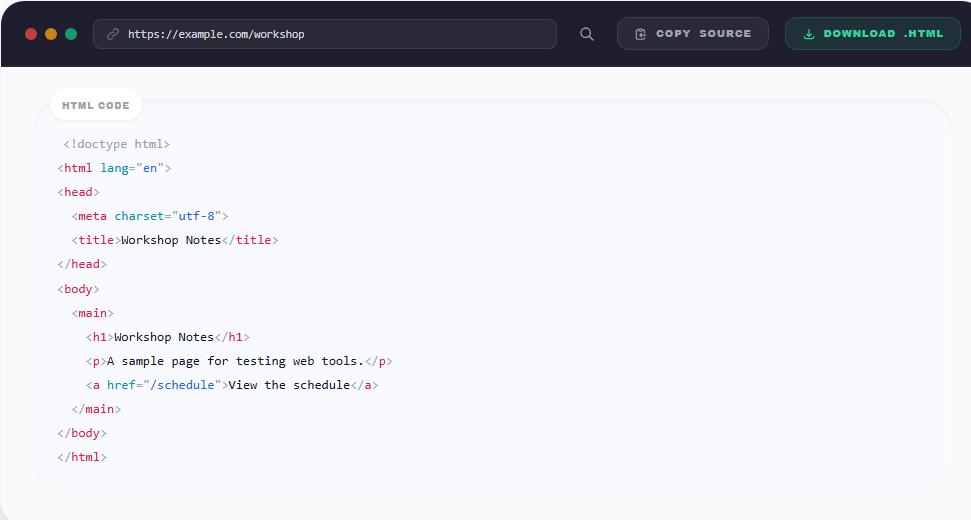
https://example.com/.<title>, description, or canonical. Check the surrounding markup rather than a keyword match alone.Page source is the server's HTML response. The Elements panel in developer tools shows the DOM after the browser parses the document and scripts may have changed it. A page can look complete in your browser while its source contains only a small application shell. This viewer does not run that page's JavaScript.
Use source to check whether important text or metadata is present in the response. Use browser developer tools when you need rendered content, computed styles, network requests, or interactive debugging. The fetch time shown here measures this server request, not the page's full browser load time.
On iPhone or Android, paste the URL here and select View Source. You can inspect the returned HTML without a desktop shortcut. Follow the iPhone page-source guide for a mobile walkthrough.
RizCraft's server requests the URL you submit; it does not use your browser's cookies or login. A target may return a login screen, block the request, or vary the response by location, headers, or caching. Enter public URLs and keep account tokens out of submitted links.
For the next check, use the Meta Tags Checker, HTTP Headers Checker, or Webpage Link Extractor. Test embedding separately with the Iframe Tester.
Tell us what to improve or which tool to add next.